Off the clock before you reach the office.
Capture readings automatically, sign digitally, and produce the report on the spot — no end-of-day cleanup.
Less paperwork. More time for the next job — or to call it a day.


A typical PAT day
Two ways to end your day
Without Sparkify
The classic way
Back to the office. Transfer the readings. Fix the mistakes. Finish the report.
What the customer gets: A Word document with a printed signature, days later.
→ Costs time. And patience.
With Sparkify
Test the last device. Sign. Report done.
What the customer gets: A signed VDE PDF with your logo — still while you're in the building.
→ Done before you walk out.
How it works
Appliance testing in three steps
A simple process that speeds up your work.
Identify the device
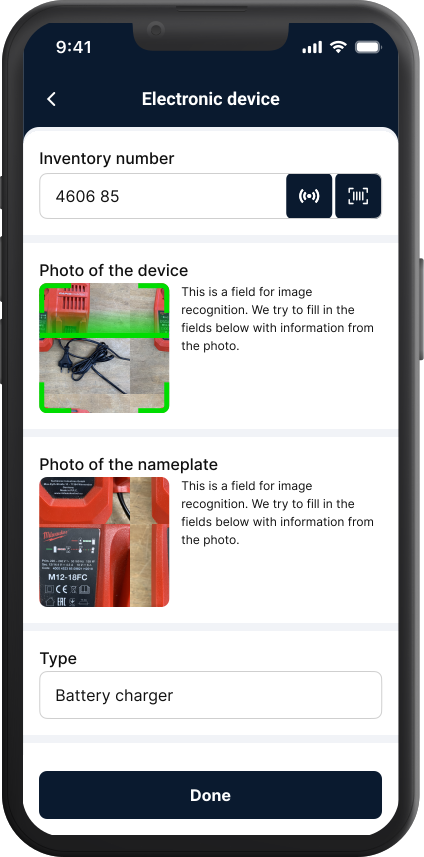
First test on a device: scan the barcode or QR code, take a photo of the device and the nameplate. Image recognition reads the manufacturer, model, technical specs (V / A / W) and Schutzklasse — most of it lands automatically. Nameplate worn or unreadable? Type the value manually. Same form, same flow.
Measure with your PAT tester
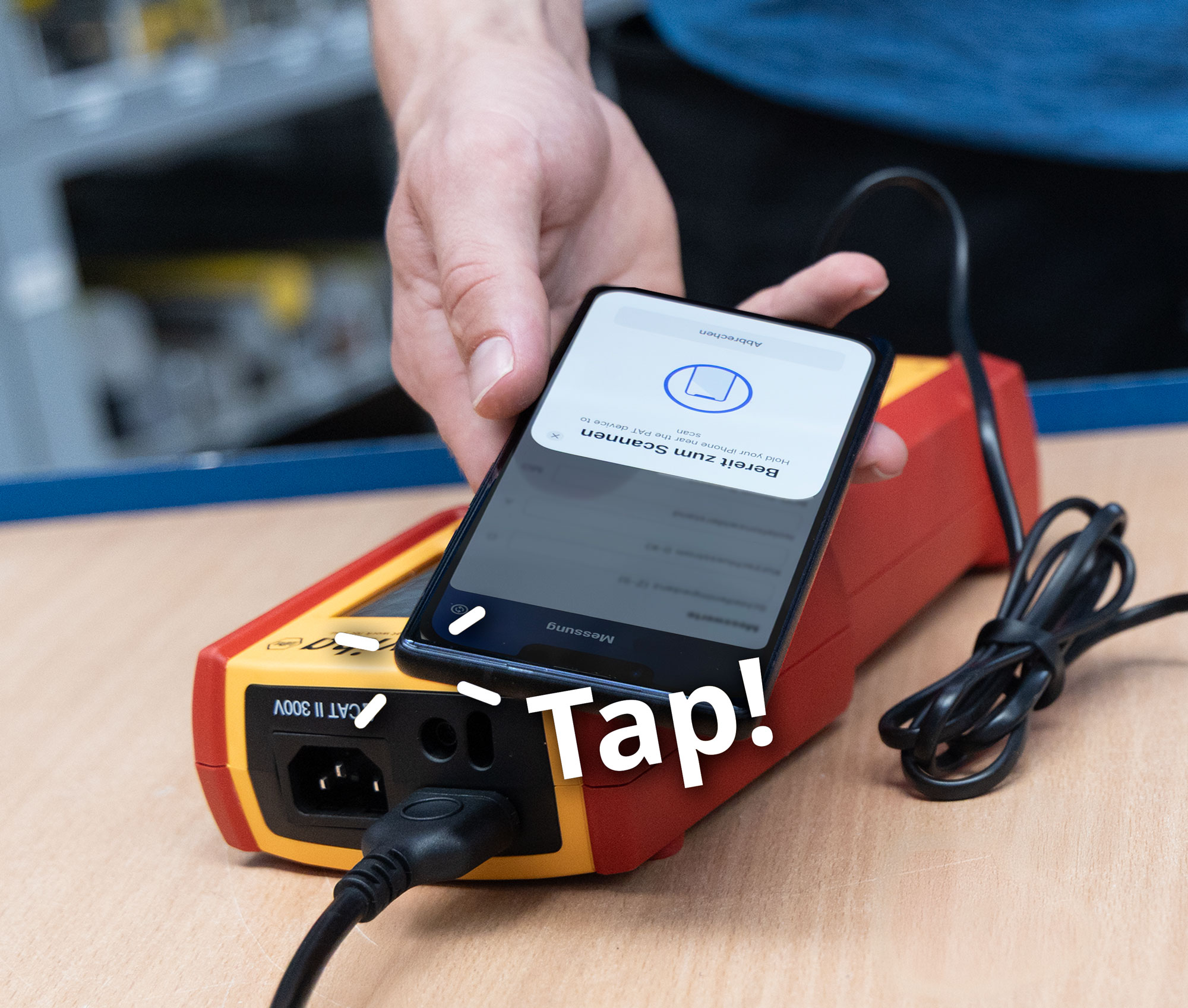
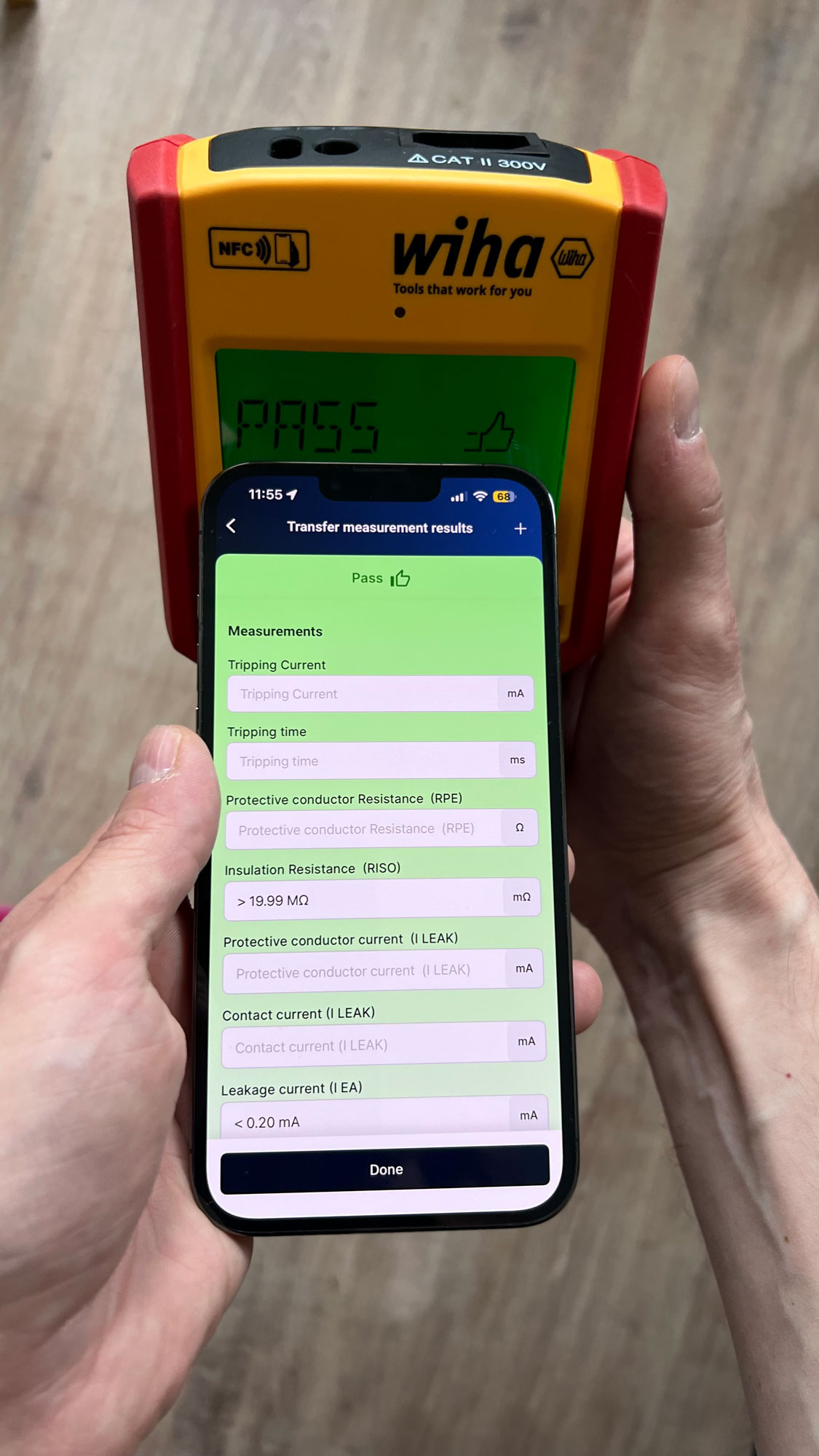
Run the measurements on your PAT tester as usual. Tap your phone against the tester — Sparkify pulls the measurement values, serial number and calibration date straight into the device card over NFC. No display photo, no manual entry, no calibration-cert lookup later. Wiha PAT-One is supported today, more measurement-device partners are on the way.
Sign and send
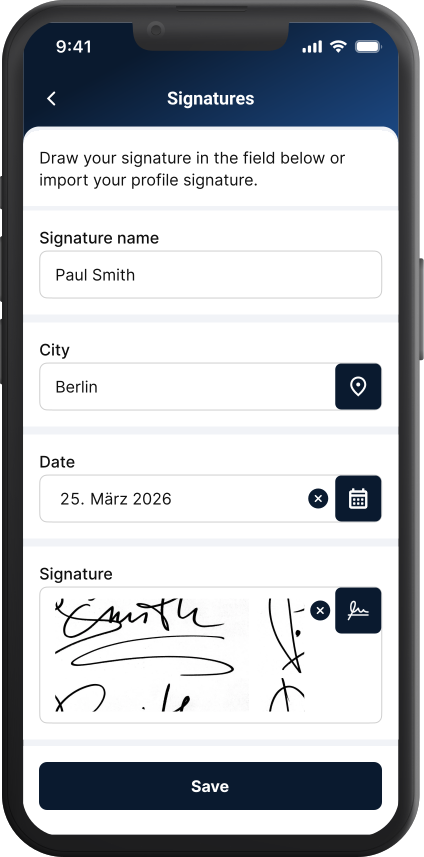
Photograph any anomaly, log defects with severity. Sign on the phone with your finger. Generate the VDE 0701/0702 / DGUV V3 PDF and email it from the project — no detour through the office.
Everything you need
Standards-compliant — with no extra effort.
You measure and photograph, Sparkify does the rest.
What the customer actually receives
Open the PDF your customer would open
An honest preview of a Sparkify-generated VDE 0701/0702 / DGUV V3 PDF. Photos render full-size, the defect log carries severity + location, the signature line names the tester, and your logo sits where the auditor expects it.
- Photos rendered full-size in the report — not as thumbnails
- Per-device defect log with severity and location
- Customer signature line + tester name + version stamp
- Your logo, your footer — the PDF reads as your report
- Per-device pass / fail with the threshold the standard demands
- Date, version and project metadata on every page
- Many PDF options like weather, table of contents and map view can be toggled on or off in the PDF options.
Sample shown is a real Sparkify-generated test report. We swap in a richer customer-anonymised sample shortly.
When you don't need every page
Create a short-form PDF for your PAT reports
Testing a batch of appliances? The full report runs long — every device gets its own page. The short form fits the same job onto a couple of pages: one row per device — easy to read and easy to forward. For now, the short form is only available on the web for PDF creation.
- The VDE 0701/0702 summary — total measurements, pass / fail, and the protection-class overview
- One row per device — name, barcode, protection class, test date and next-due date, location
- Repeat tests listed under the device they belong to — nothing hidden
- The tester, signature, and the test equipment used
- A QR code on the report that opens the same documentation digitally in Sparkify
- You choose which version to export — the detailed report stays available whenever you need it
Sample shown is a real Sparkify-generated short-form report. We swap in a richer customer-anonymised sample shortly.
A report ready to send
What makes your report better than the competitor's
VDE 0701/0702 says what must be in there. The bits below are what your customer actually keeps in their archive.
Your logo on every PDF
Your logo — the PDF reads as your report. (Pro plans)
Sub-projects for big rounds
Floors, customer locations, departments. Break large DGUV V3 rounds into sub-projects so 200 devices stay as structured as 20.
Photos visible in the PDF
Photos appear small in the PDF and, on request, link to the originals stored in our cloud.
Defect log with photo evidence
Every defect carries its own photo, location and severity. The auditor's record is your shield against later recourse claims.
Pricing
Free tier always free. The Sparkify value promise.
Pick the plan that matches your needs.
Free version
Unlimited documentations, full PDF export, 25 image recognitions per month, 7-day cloud sync. No credit card required.
Personal Cloud or Professional — €22.99 / user / month incl. VAT (in Germany)
500 image recognitions, your logo on PDF, unlimited cloud sync, email and phone-callback support. Multiple users on Professional.
Personal Cloud+ / Workspace — €58.99 / user / month incl. VAT (in Germany)
Multiple users, role separation (Admin / Member / Viewer), project management for teams, Enterprise support.
Common questions
Quick answers about appliance testing
+49 176 55773828 Support hotline support@sparkify.cloud Support emailDo I need a specific PAT tester to use this?
Does it work offline?
Can I put my logo on the PDF?
Can I save a template per customer or property?
Where does my data live?
Is there a per-device cap?
Try Sparkify on your next round
Free to install on iOS and Android. Paid plans activate inside the app, whenever you're ready.