Finished VDE documentation — before you leave the site.
Capture readings on site, sign digitally, and produce the test report with no back-at-the-office cleanup.
Less paperwork. Fewer mistakes. More time for the next job.


A typical work day
Two ways to close out an inspection
Without Sparkify
The classic way
Measure. Note it down. Transfer later. Fix mistakes. Compose the report.
What the customer gets: A Word document with a printed signature, days later.
→ Costs time. And patience.
With Sparkify
Pull readings directly, sign on site, produce the finished report on the spot.
What the customer gets: A signed VDE 0100-600 PDF in the inbox — instantly.
→ Done before you walk out.
How it works
How you skip the typing
Acceptance tests get faster the less you type. Sparkify takes typing out of two places: the circuit list, and the measurement values.
Import the installation — or build it as you measure
Drew your distribution in ABB EasyPro Plan or Stromlaufplan.de? Scan one QR — every circuit, MCB, RCD and cable cross-section pre-fills, ready to be measured against. No planning tool? Use prefilled values — the second round runs as fast as the first one was slow.
![[Step 1 — graphic placeholder: QR scan + planning-tool logos OR a prefilled-values circuit row, two equal paths]](/images/install_step1_import_en.svg?v1)
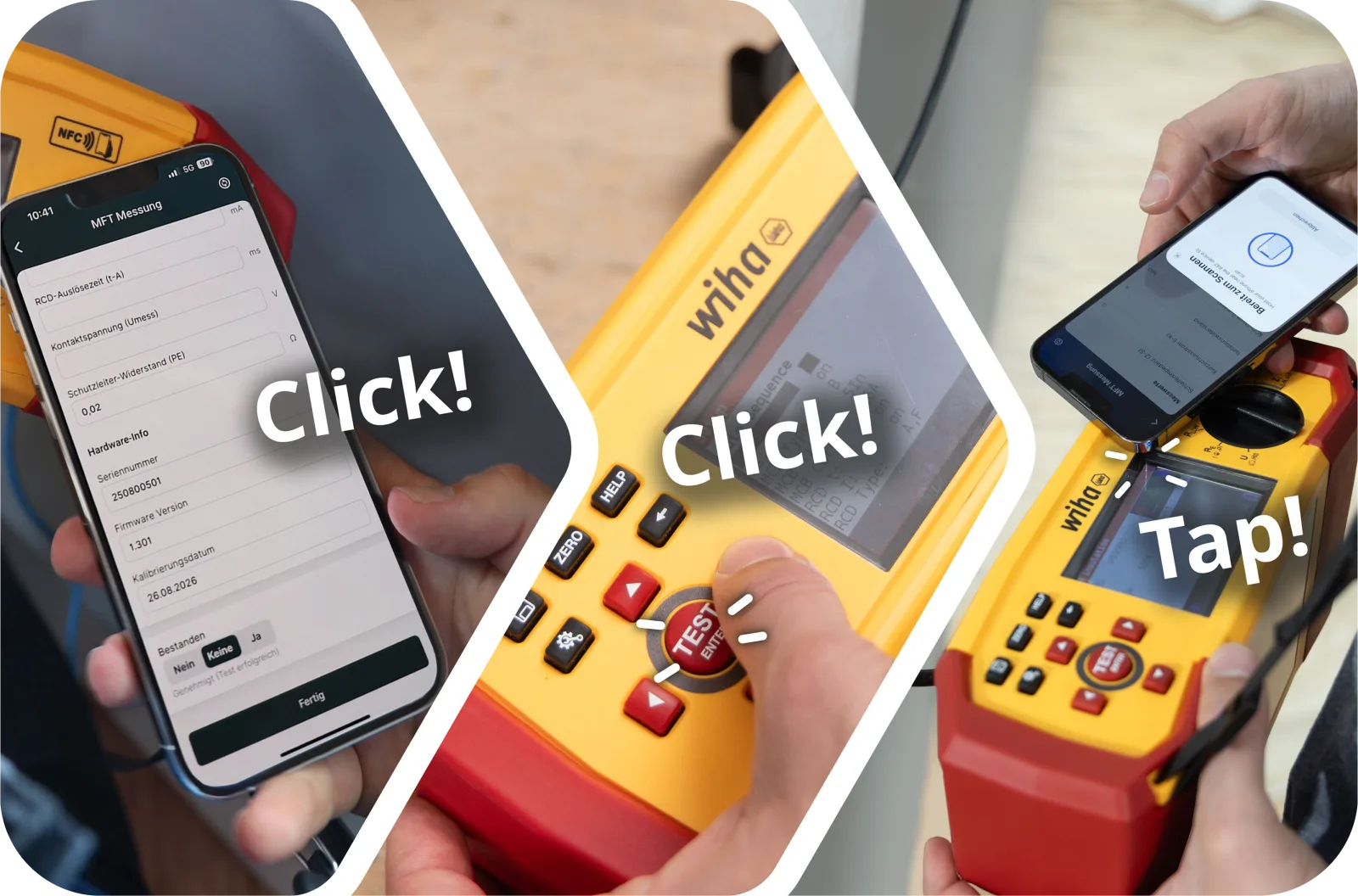
Tap your MFT — single value or full autosequence
Run the measurements on a compatible MFT meter as usual. Tap your phone against the tester — Sparkify pulls measurement values over NFC into the right field of the right circuit. A single reading (R_PE, R_iso, Z_S, RCD), or pull the complete autosequence in one tap if you ran one. No display photo, no manual entry. Wiha MFT-One is supported today.
![[Step 2 — graphic placeholder: phone + MFT NFC tap, single value or full autosequence flowing into the circuit row]](/images/install_step2_mft_en.svg?v1)
Then sign on the phone with your finger, generate the VDE 0100-600 PDF, email it from the project. Whatever typing remains, you do on site. Never at the kitchen table again.
Field coverage
The full VDE 0100-600 flow
You measure. Sparkify drops each value into the right field and flags pass / fail. Override anything manually.
What the customer actually receives
Exactly the report your customer expects.
Cleanly structured, easy to read, ready to send.
- Per-circuit pass / fail with the threshold the standard demands
- RCD test rows for I_ΔN, ½ × I_ΔN and 5 × I_ΔN populated automatically
- Photos rendered full-size — distribution boards, anomalies, before / after
- Defect log with severity, location and photo per entry
- Customer signature line + tester name + version stamp
- Your logo, your footer — the PDF reads as your report
Sample shown is a real Sparkify-generated VDE 0100-600 test report. We swap in a richer customer-anonymised sample shortly.
A report ready to send
What makes your report better than the competitor's
VDE 0100-600 says what must be in there. The bits below are what your customer actually notices.
Your logo on every PDF
Company name, logo, footer details. The PDF reads as your report — not as software output.
Sub-projects for big sites
Floors, buildings, phases. Break large jobs into sub-projects so the documentation stays as structured as the site.
Add photos anywhere in the report
Slip extra photos in where you want them — distribution boards, anomalies, before / after shots, the cover page. Drag and drop, no fixed slots.
Defect log with photo evidence
Every defect carries its own photo, location and severity. Protects you against unjustified recourse claims later.
Pricing
Free tier always free. The Sparkify value promise.
Pick the plan that matches your needs.
Free version
Unlimited documentations, full PDF export, planning-tool imports, 25 image recognitions per month, 7-day cloud sync. No credit card required.
Personal Cloud or Professional — €22.99 / user / month incl. VAT (in Germany)
500 image recognitions, your logo on PDF, unlimited cloud sync, email and phone-callback support. Multiple users on Professional.
Personal Cloud+ / Workspace — €58.99 / user / month incl. VAT (in Germany)
Multiple users, role separation (Admin / Member / Viewer), project management for teams, Enterprise support.
Common questions
Quick answers about installation testing
+49 176 55773828 Support hotline support@sparkify.cloud Support emailDo I need a specific MFT meter to use this?
What if my planning tool isn't ABB EasyPro or Stromlaufplan.de?
Can I use Sparkify with both PAT-One and MFT-One?
NFC, barcode or just typing — which inputs work?
Does it work offline?
Where is my data stored?
Try Sparkify on your next acceptance test
Free to install on iOS and Android. Paid plans activate inside the app, whenever you're ready.